How to check if AI is citing your site, step by step
Citable · 14 November 2026 · 12 min read
Search Console can show whether your pages appear in Google's generative AI features, but it cannot show how many clicks come from AI Overviews or AI Mode. To check whether AI tools cite your site, confirm the drop in the Performance report, then run a fixed set of buyer-intent prompts in ChatGPT, Perplexity and Google, and log which domains and URLs get cited.
Key takeaways
- Search Console does not separate AI clicks from normal organic clicks, so aim for a diagnosis with a confidence level, not an exact number.
- Confirm the drop by query and by page first, and look for impressions that hold steady while clicks fall.
- Use Google's Generative AI report for impressions only, and Bing's AI Performance report for citations in Microsoft's AI answers.
- Run several buyer-intent prompts across engines, log every result, and repeat the same prompts over time, since AI citations are query-specific, engine-specific and volatile.
What do you need before you start?
You need four things:
- Search Console access: the property for your site.
- A spreadsheet: one place to export data and log prompt results.
- A list of pages that lost clicks: you will build it in the first step.
- Bing Webmaster Tools access (optional): only needed for the Bing step.
Be clear about the limit from the start. Search Console does not separate clicks from AI Overviews from normal organic clicks, as a 2026 Australian agency's analysis explains, so Search Console alone will not give you an exact AI-click number. Google describes how it reports these features in its AI features documentation.
Your goal is a diagnosis with a stated level of confidence. Each step below gives you what to do, how to know it worked and the mistake people usually make.
How do you confirm the click drop in the Performance report?
Start by finding out which queries and pages lost clicks, and whether the timing matches the spread of AI Overviews.
- What to do: In the Performance report, set the search type to Web. Compare impressions and clicks over the same period before and after the drop, first by query and then by page. Export both views to your spreadsheet.
- How to know it is right: You can name the queries and pages that lost the most clicks. You also see whether impressions held up. Goodie's guide on AI Overview traffic calls impressions that stay flat or rise while clicks fall a "divergence pattern" and associates it with AI Overviews. It is a pattern, not proof of cause, so record it as a signal.
- Typical mistake: Reading every click drop as an AI effect. Check position and CTR for each query too. A fall in ranking explains lost clicks with no AI involved.
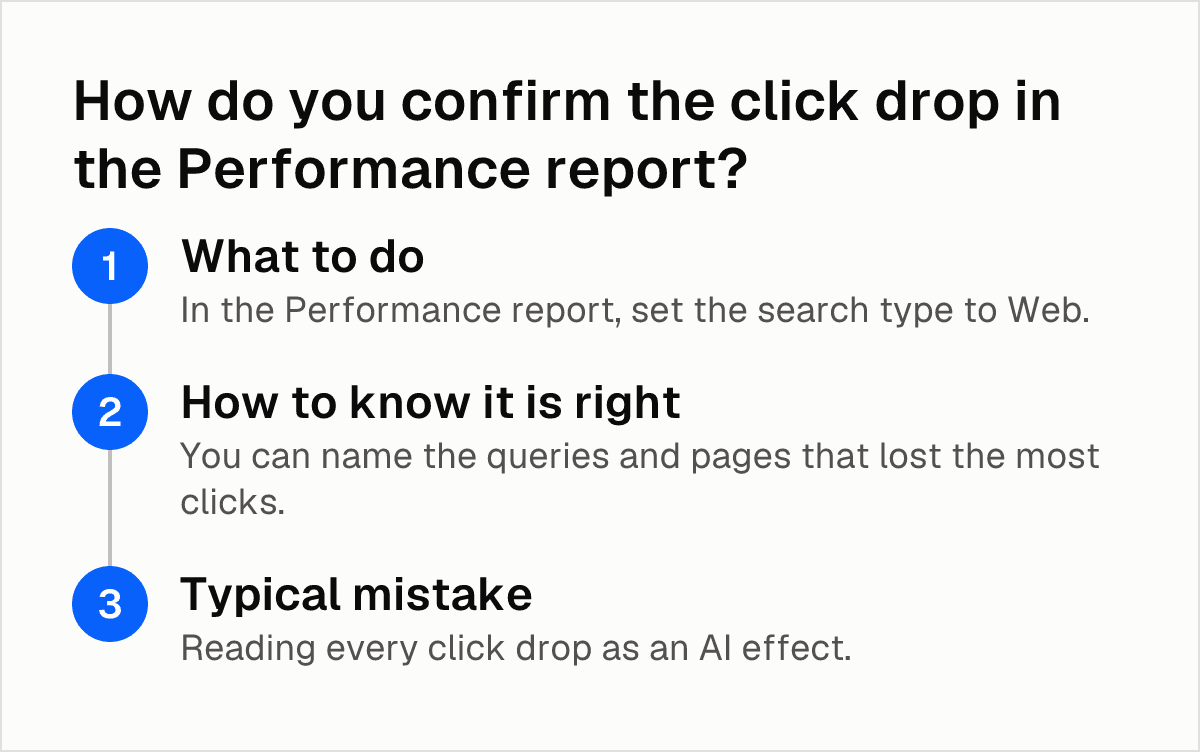
Google's documentation says sites in AI features are reported in the standard Performance report under the Web search type. Do not look for a separate AI click figure there, because none exists.
What does the Generative AI report show, and what can't it tell you?
Google launched its Search Console Generative AI performance reports on June 3, 2026. In the same announcement, it says that as of August 31, 2026 the insights are available to all websites worldwide. The core metric is impressions: how often URLs from your site appeared in generative AI features, broken down by page, country, device and date.
- What to do: Open the report and check which of your pages appear in generative AI features. Filter by country and device where it matters. Match those pages against your list of pages that lost clicks.
- How to know it is right: You end up with three groups: pages that appear in AI features and lost clicks, pages that appear and held up, and pages that do not appear at all.
- Typical mistake: Expecting clicks or CTR from this report. eSEOspace's analysis finds it reports impressions only, with no clicks, CTR, position or query data.
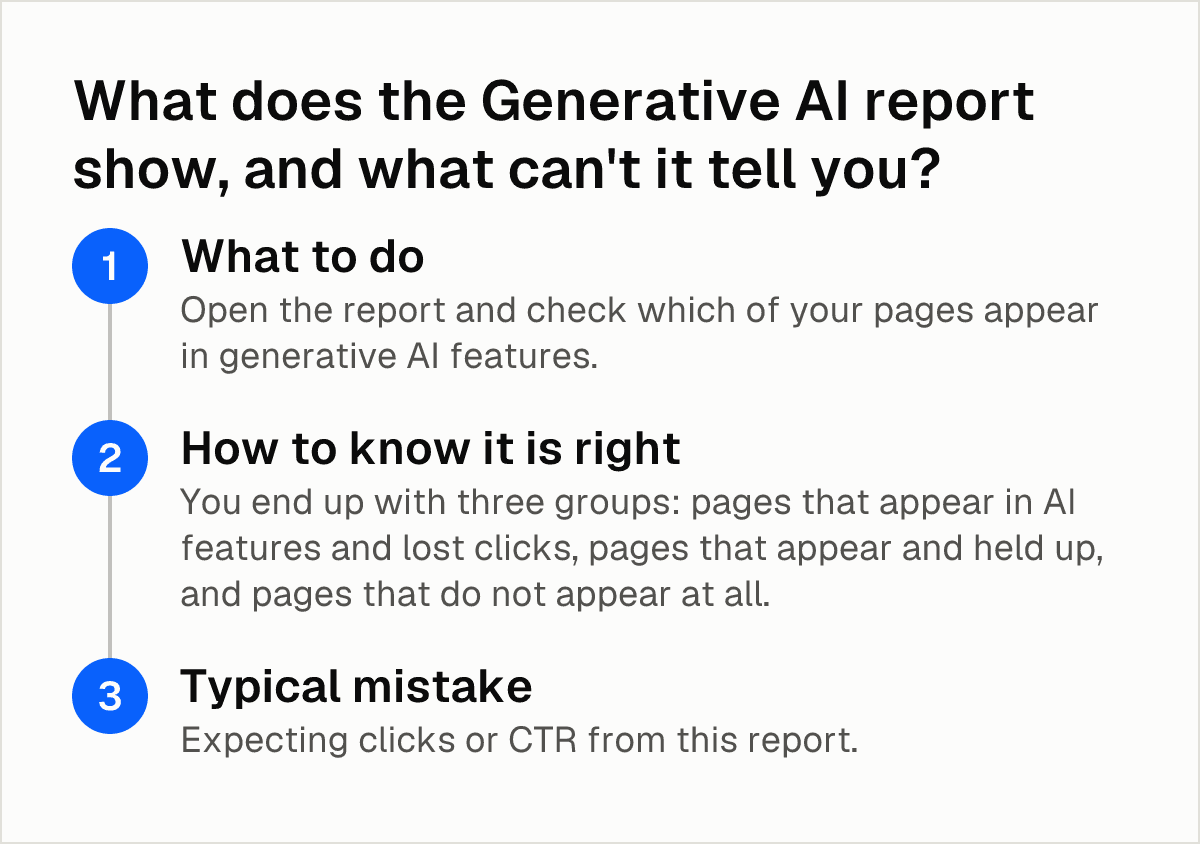
To see which cited pages are losing clicks, pair the report with the normal Performance report by page, as SEOmatic recommends.
You cannot calculate an AI-specific CTR either. According to Cognizo's GSC guide, AI impressions and clicks sit in separate tables with no shared key. The report tells you where your pages appear, not what they earn.
If you want to understand the difference between the AI surfaces you are looking at, Citable's explainer on Google AI Mode covers how AI Mode differs from AI Overviews.
How do you check Bing's AI Performance report?
Bing Webmaster Tools' AI Performance report shows whether your content is used to ground AI-generated answers, instead of measuring clicks or rankings, as Search Engine Land reports.

- What to do: Open the AI Performance report in Bing Webmaster Tools. Note the cited URLs, the grounding queries and the citation trends over time. CXL describes these as the report's main views, across Microsoft Copilot and Bing AI answers.
- How to know it is right: You have a list of your URLs that Bing's AI answers used, with a trend line you can compare against the next check.
- Typical mistake: Treating grounding queries as search demand. They are phrases the AI uses for retrieval, not transcripts of what people typed, as Skyhoora points out.
The report does not attribute clicks or conversions directly, so it shows citation, not traffic. Because it shows citations in Microsoft Copilot and Bing AI answers, the next steps run prompts by hand in the other engines.
How do you build a fixed prompt set?
A prompt set is the list of questions you will ask every engine, every time. Its value comes from staying the same.
- What to do: Write 10 to 20 buyer-intent prompts: the questions a buyer asks before choosing a supplier or product. Cover your main categories, use cases and comparisons. Save them in the spreadsheet, one per row.
- How to know it is right: Each prompt reads like something a real customer would type, and none contains your brand name.
- Typical mistake: Asking about your own brand. A brand-name query mostly returns your homepage, as NeuronWriter notes, and it recommends buyer-style questions instead. A homepage result tells you little about whether AI cites your content.
Use the language your customers use, not your internal product names. Sales emails, support tickets and search queries from the Performance report are good raw material.
How do you run the prompts in each engine?
Run the same prompts in each engine and apply the citation rule that fits that engine.
| Engine | Setting or check | What counts as a citation |
|---|---|---|
| ChatGPT | Web search turned on | A link to your domain or URL in the answer. Without live retrieval, a named brand comes from training data, as TriRank explains |
| Perplexity | Read the answer and its sources | Your domain in the Sources list below the answer. Inline text without a source is a mention, per Frizerly |
| Google AI Overviews and AI Mode | Run the same prompts | A link to your domain or URL. AI Overviews appear only when Google's systems judge them additive to classic Search, so many prompts will show none, according to Google's documentation |
- What to do: Run every prompt in every engine on the same day, and save the answer text and its sources.
- How to know it is right: For ChatGPT you can see the answer drew on live web results. For Perplexity you can read the Sources list. For Google you can tell whether an AI Overview appeared at all.
- Typical mistake: Counting a blank Google result as a failure. Google says AI Overviews "often don't trigger", so a missing overview tells you about the query, not about your site.
Do not draw conclusions from one prompt. DataWise SEO points out that AI citations are query-specific, engine-specific and volatile, so a check needs several prompts and repeat runs.
How do you log the results and rerun them?
Keep one row per prompt per engine per run. Use these columns:
- Engine
- Date
- Prompt
- Cited domain
- Cited URL
- Whether your site was linked or only named
- Which competitor was cited
- What to do: Fill the log right after each run, while the answers are in front of you. Mark each result as a citation (a linked source) or a mention (a brand named without a link).
- How to know it is right: Anyone on your team could repeat the run from the log and get comparable data.
- Typical mistake: Mixing mentions and citations in one total. Mentions still matter for how buyers see you, but count them separately.
Rerun the same prompts on a fixed schedule, such as every week or every month. One run is a snapshot, not a trend. Keep the first run as your baseline, because later runs only mean something against it.
For a deeper look at the repeat-test method, read Citable's guide on checking whether ChatGPT recommends your brand.
How do you read the results?
Combine the three data sets: the Performance report, the Generative AI and Bing reports, and your prompt log. These are the common outcomes:
- Cited and losing clicks: your pages appear in AI answers, and clicks still fell. Your content is being used, and the answer may be satisfying the buyer without a visit. Look at which pages and queries are involved.
- Not cited, competitors cited: the log shows which domains and URLs AI picks for your prompts. Compare those pages with yours on topic coverage, structure and sources.
- Not cited, no AI features, clicks still down: the cause is probably elsewhere. Move to the next section.
In every case, state your confidence. "Impressions held, clicks fell, and AI features show our pages" is a stronger statement than "AI took our clicks", and it is the one the data supports.
When is the drop not about AI?
Google's documentation states that there are no additional requirements to appear in AI Overviews or AI Mode, and no special optimizations. If your pages are not cited, the cause may have nothing to do with AI. Citable's explainer on appearing in AI Overviews goes through what Google says on this and what it leaves out. For content changes backed by evidence, see Citable's article on optimizing content for AI search.
AI Overviews often do not trigger at all, which limits how much any site is exposed to them. A fall in clicks can come from ranking changes, lower demand or seasonality.
Check one technical point too. Google says robots.txt directives for Googlebot are the site owner's control over how content is accessed for Search, including AI features. If your robots.txt blocks Googlebot, fix that before you draw any conclusion about citations.
Some publisher reports show large click losses. Define Media Group, as reported by Search Engine Land, found a 42% fall in organic clicks across 64 sites since AI Overviews began expanding. That is one publisher portfolio, not a benchmark for your site.
If your prompt log shows no citations and the Performance report shows no divergence, run your normal traffic-drop diagnosis before you attribute the loss to AI. Check rankings, seasonality, demand for your products and any changes to your site.
Next steps
- Export clicks and impressions by query and by page from the Performance report, and mark where impressions held while clicks fell.
- Open the Generative AI report in Search Console and list which of your lost-click pages appear in AI features.
- Write 10 to 20 buyer-intent prompts without your brand name, and run them in ChatGPT with web search on, Perplexity and Google. Log every cited domain and URL.
- Put the same run in your calendar every week or month, and compare it against your baseline.
- If you want the same check run for you, Citable measures weekly whether ChatGPT, Gemini, Perplexity, Claude, Grok and Google AI cite or recommend a site, starting at $24/month. You can start with its free AI visibility report.
Frequently asked questions
Does Google Search Console show clicks from AI Overviews?
No. Google's documentation says sites in AI features are reported in the standard Performance report under the Web search type, so AI clicks are mixed in with normal organic clicks. The Generative AI report covers impressions only.
How do I know if ChatGPT is linking to my website?
Ask ChatGPT buyer-style questions with web search turned on and look for your domain in the linked sources. Without live retrieval, a brand named in an answer comes from training data and is not a citation.
Does Bing Webmaster Tools show ChatGPT citations or only Copilot?
Its AI Performance report covers Microsoft Copilot and Bing AI answers, according to CXL. It shows cited URLs, grounding queries and citation trends, but it does not attribute clicks or conversions.
How often should I rerun AI prompts to check my citations?
Rerun the same prompts on a fixed schedule, for example every week or every month. AI citations are volatile, so a single run is only a snapshot, and your first run works as the baseline.
Sources
- Introducing Search Generative AI performance reports in Search Console
- AI Features and Your Website | Google Search Central
- Can You Track Clicks from Google's AI Overviews (AIO)?
- How to Track Traffic from AI Overviews - Goodie
- Reading Search Console's Generative AI Performance Report - eSEOspace
- Search Console Generative AI Performance Report (2026)
- How to track Google AI Overviews traffic and click loss in 2026 (GSC guide)
- Bing Webmaster Tools officially adds AI Performance report
- Tracking AI Visibility With Bing Webmaster AI Performance Reporting
- Bing Webmaster Tools AI Performance: Track Copilot Citations 2026
- How to Check If ChatGPT or Perplexity Is Citing Your Site
- How to Check If ChatGPT Cites Your Website
- How do I know if Perplexity is citing my website?
- How to Know If ChatGPT or Perplexity Is Citing Your Website
- Google AI Overviews cut search clicks 42%: Report
Keep reading
25 November 2026 · 9 min read
Why AI Doesn't Recommend Your Framer Studio, and What to Check
If AI skips your Framer studio, test whether crawlers can read your pages, then measure buyer questions and strengthen thin project evidence and unclear pages.
24 November 2026 · 11 min read
Hand-written or AI-drafted: six checks for AI citations
Hand-writing or a weekly AI service? Neither wins by default: six checks on review, sourcing, disclosure and measurement decide which fits you.
23 November 2026 · 7 min read
What Google AI Overviews are and how to measure them
Google AI Overviews are AI-generated summaries on some searches. You can't turn them off, but you can measure impressions, clicks and citations.